PPT Studio
Approved content → editable PPTX- Receive approved content
- Choose template / KV
- M×T match · 3 drafts · layout
- Preview → adjust → .pptx
Case 01 · AI Product System
MUSE builds email HTML in about a minute.
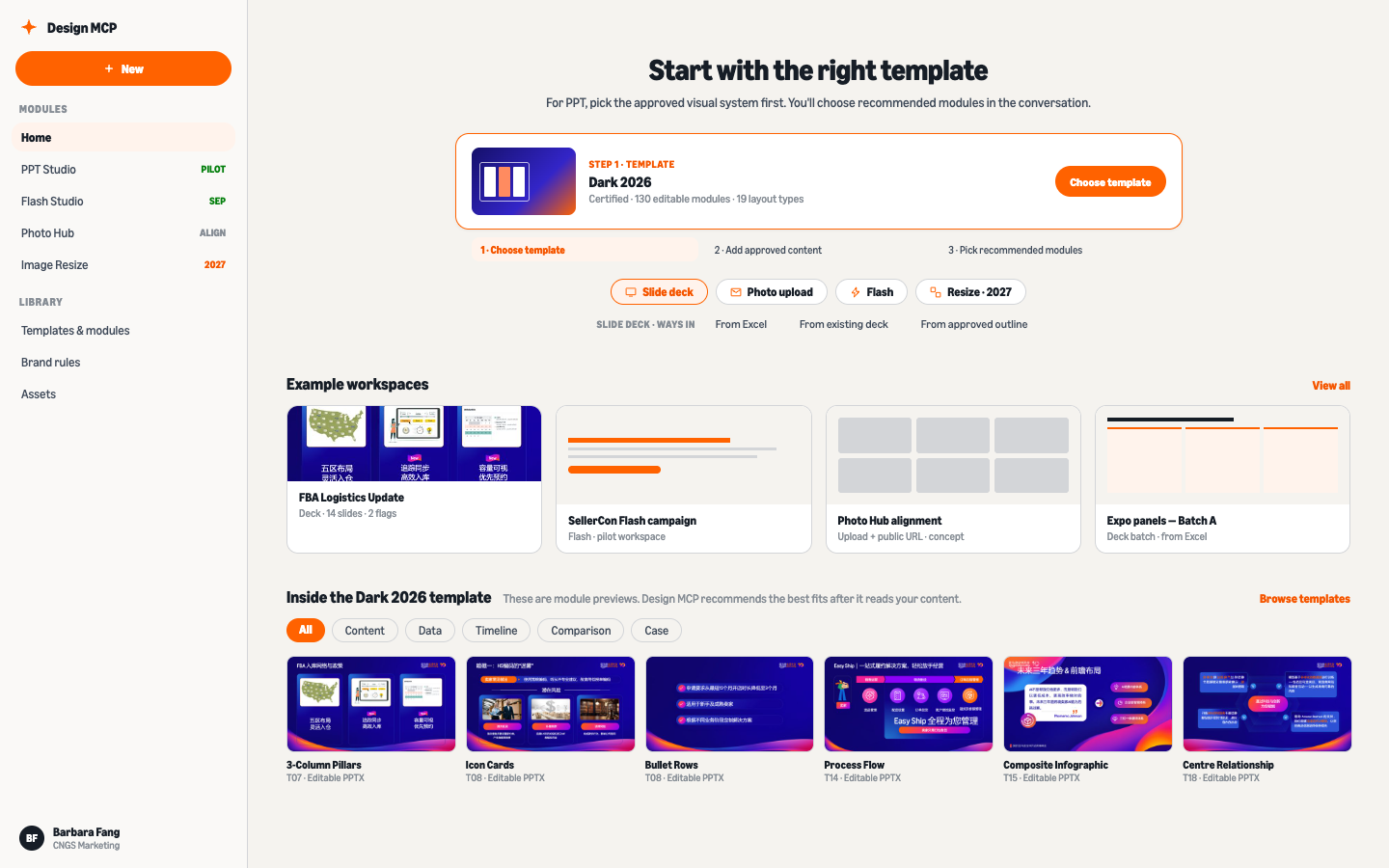
Start with a certified template.
Review layout changes in the conversation.
I lead product and UX for tools that help CNGS marketers produce seller communications. MUSE is live for email. The broader Design MCP platform is in validation.
A small central design team handled recurring production for Amazon Global Selling China. Even approved campaign copy needed layout and coding work before it could be sent.
I looked at which production decisions could be specified in templates and which still needed a person to review them.
The platform design uses a Model Context Protocol server to expose template and rendering tools to compatible AI clients.
The planned shared services cover PPT Studio, MUSE email, Adaptive Creative and the Image Library. Brand rules and QA checks are maintained centrally.
I separated the integration approach from the instructions that tell an agent how to use it:
An API can provide the shared rendering service. Each product still needs a way to expose those operations to its AI client.
A skill describes the workflow and when to call a tool. Its instructions need versioning as the workflow changes.
MCP gives compatible clients a common way to call the design tools. The server manages template versions and rendering checks.
I own product definition and UX, including the template system and validation rules. I work with engineering and business teams on how those rules are applied.
The platform specifies review points for content accuracy, image approval and final delivery. Layout checks can flag a problem and return it to the appropriate owner.
I define those checks with the template rules. The pilot tests them against actual conference materials.
The proposed platform shares design rules across four production workflows.
Approved content → certified template → editable PPTX. Pilot, real-material validation.
Approved Chinese sessions need template application. Global English keynotes need format conversion and image sourcing, with translation handled by the content owner.
Exhibition content arrives in a spreadsheet. Placing it into a 100-page deck currently takes one person about three days.
PPT Studio uses an approved template and 130 certified layout modules. When copy exceeds a layout’s limits, it offers another layout or returns the copy to its owner for editing.
Validation includes structural collision checks and visual review at 200% zoom. The module is being tested with real materials.
PPT Studio · product user journey
Step 1 · Content side
CommSphere · Pitch Deck Gen · Maven
Step 2 · Content side
CommSphere · Pitch Deck Gen · Maven
Step 3 · Design side
Design MCP
Step 4 · Design side
Design MCP
Step 5 · Design side
Design MCP
Step 6
Four review gates and a choice between two layout treatments.
Main path · PPT Studio · pilot Oct 2026
Choose the certified Dark 2026 template at the top of the hub. The other entries show planned workflows.
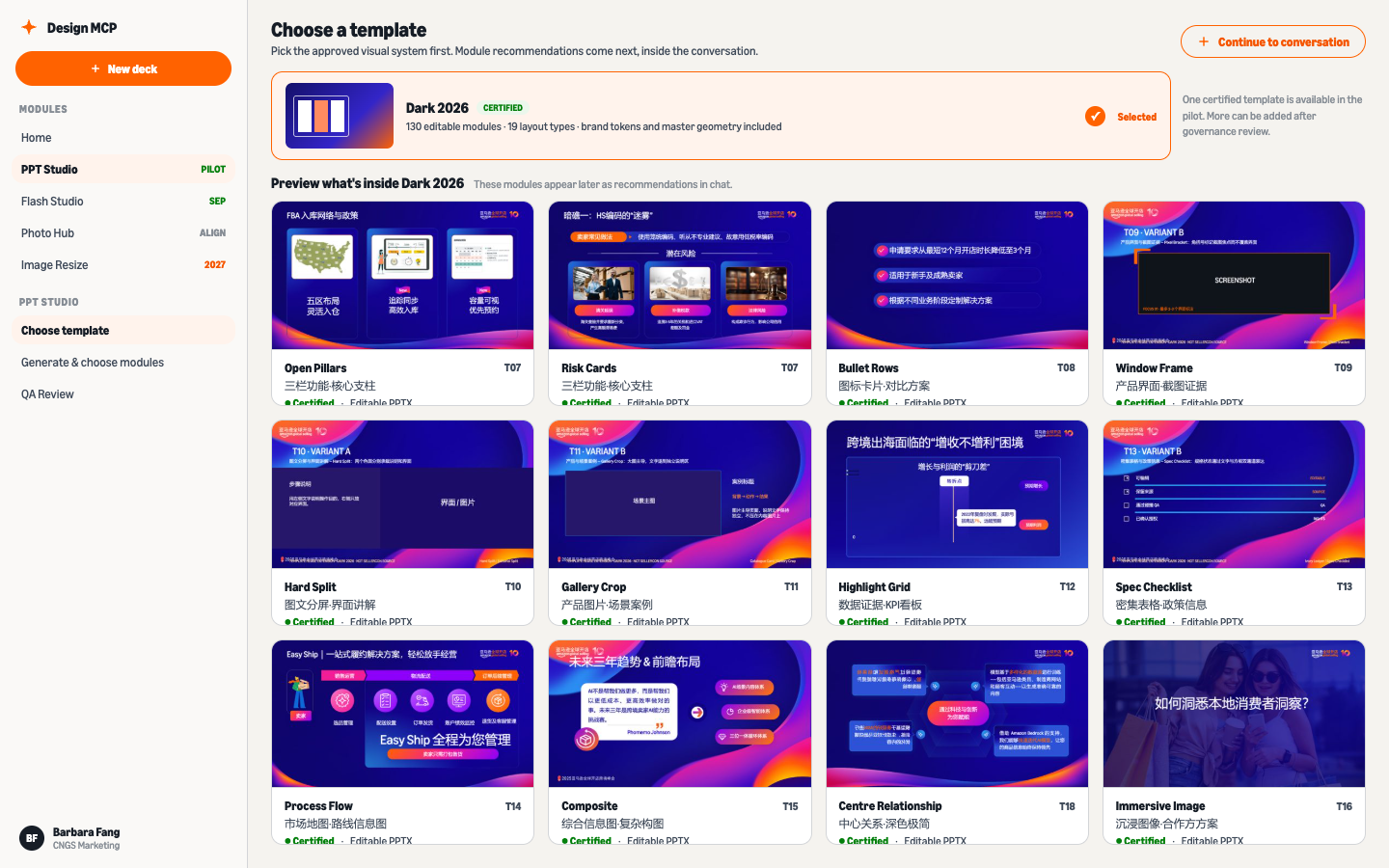
The template library opens with Dark 2026 ready to inspect.
One certified visual system in the pilot: 130 editable modules, 19 layout types. The previews show what Dark 2026 contains before you commit.
A workspace conversation opens with the template locked in.
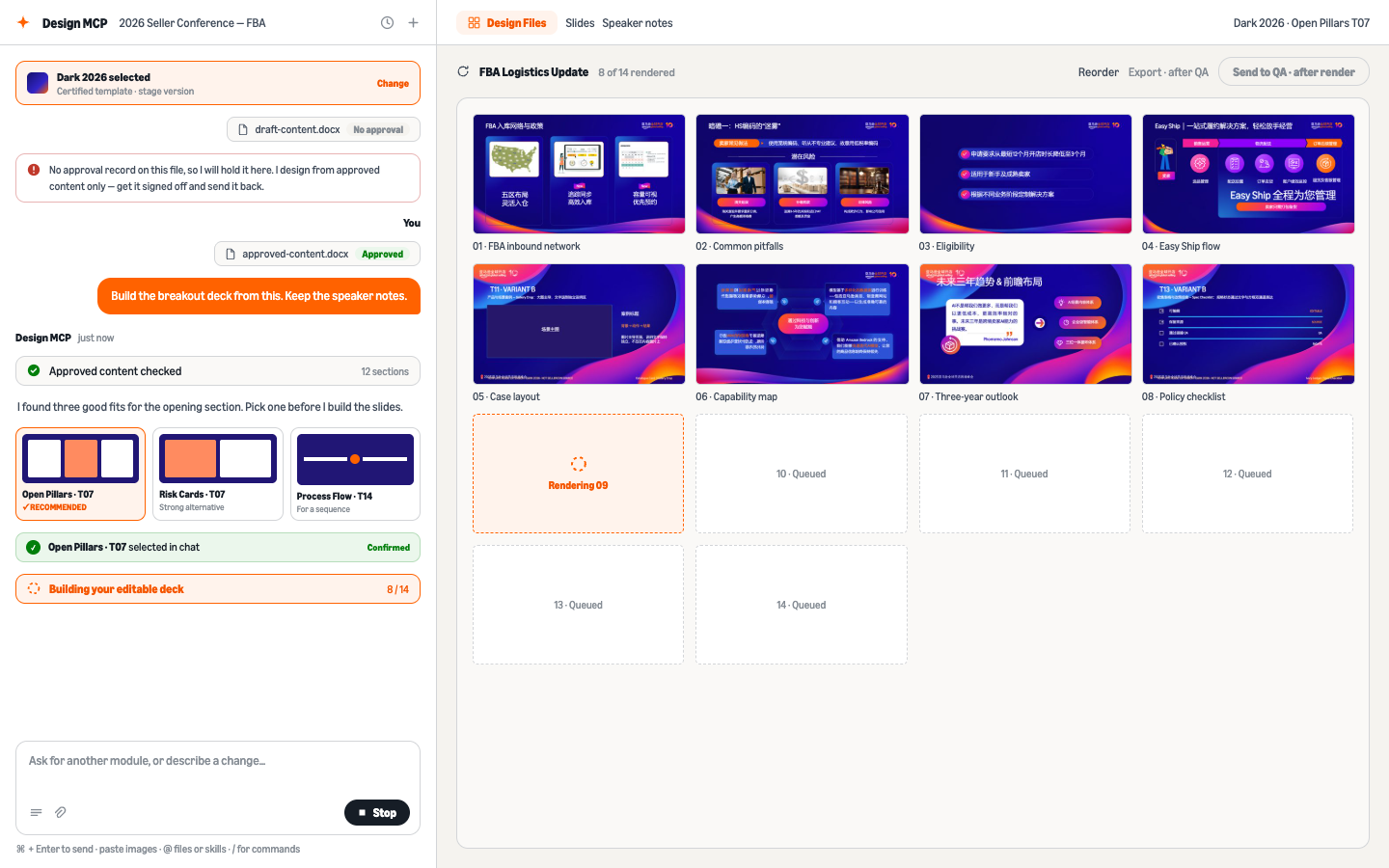
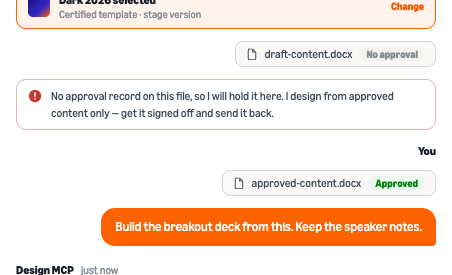
draft-content.docx has no approval record, so it is held with a plain answer. Nothing renders from an unapproved draft.
Upload approved-content.docx and say what you need · the flow continues from the approved file only.
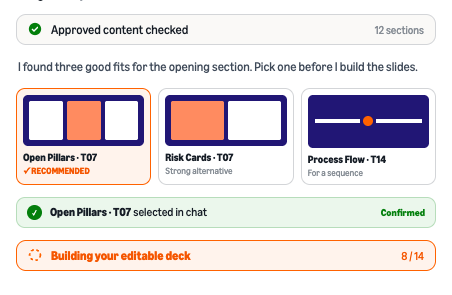
Design MCP reads the 12 approved sections and recommends three fits for the opening. Click Open Pillars · T07 to confirm.
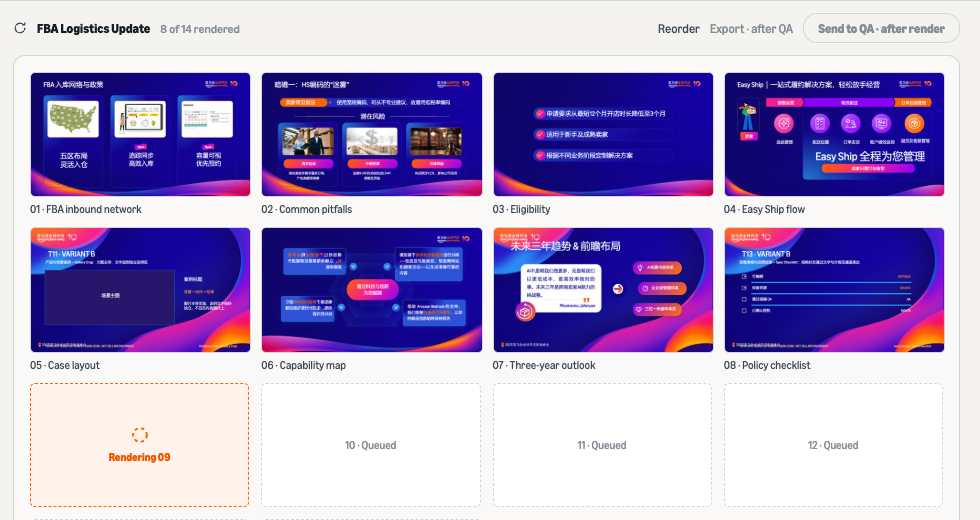
The editable deck starts building · 8 of 14 slides and counting.
The Design Files panel shows each slide’s render status. QA becomes available when all slides finish rendering.
Click Send to QA to run the checks in the same thread.
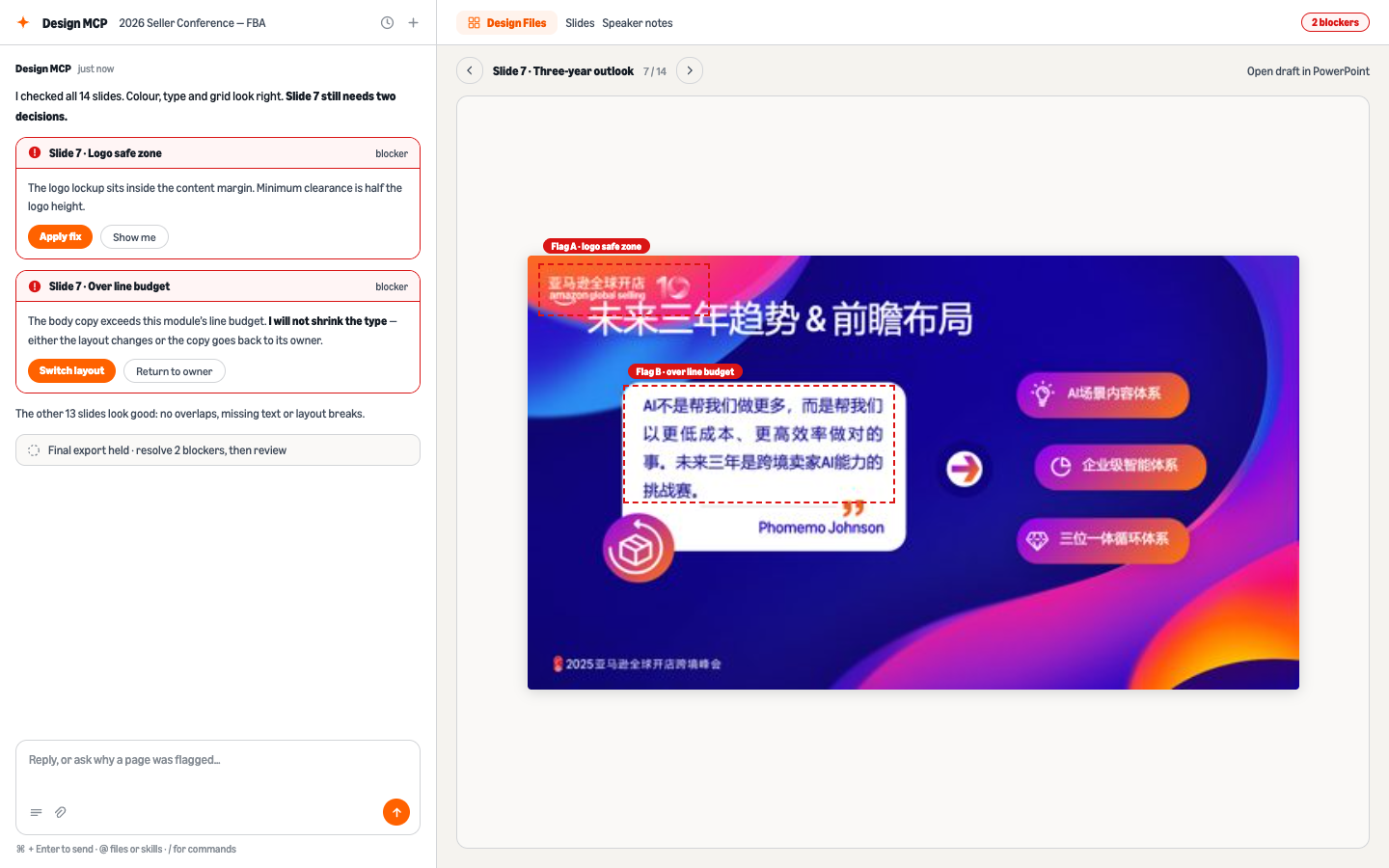
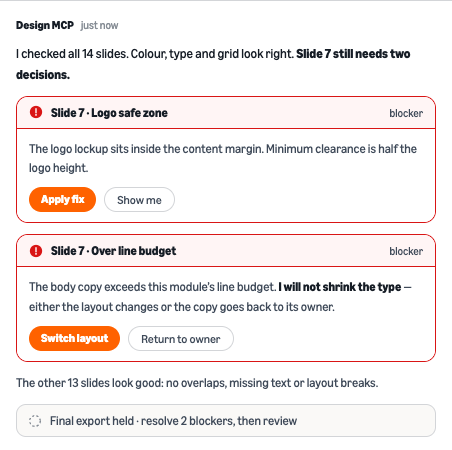
QA flags slide 7 in the 14-slide deck. Click Apply fix for the logo safe area. For copy over the limit, choose Switch layout or return it to the content owner.
The specified type minimum stays in place while the layout or copy is revised.
Open the exported file in PowerPoint to edit its objects. Speaker notes and the template’s brand settings are retained.
Marketing User Interface & Style Engine generates email layouts and HTML from approved campaign copy.
The channel team serves 800K sellers with roughly 600 emails a year. Each email took a designer or agency 6–8 hours to lay out and code.
A specialist then completed about 80 setup steps in Pardot before sending.
With MUSE, a marketer uploads approved copy in Word and gets email HTML in 30–60 seconds. A person reviews the creative before ECHO handles the Pardot setup in two clicks.
MUSE applies 94 coding rules and 40 brand guidelines. These cover client compatibility, layout and input checks across its module library.
MUSE has been used for seller campaigns since May 2026. It was announced to CNGS Marketing in August.
Marketers can prepare HTML through MUSE. Creative approval remains a human step before deployment.
The Word input and generated email below show how MUSE applies its module library to campaign copy.
Open the campaign examples to inspect the complete HTML output, including the legal footer.
 View complete email ↗
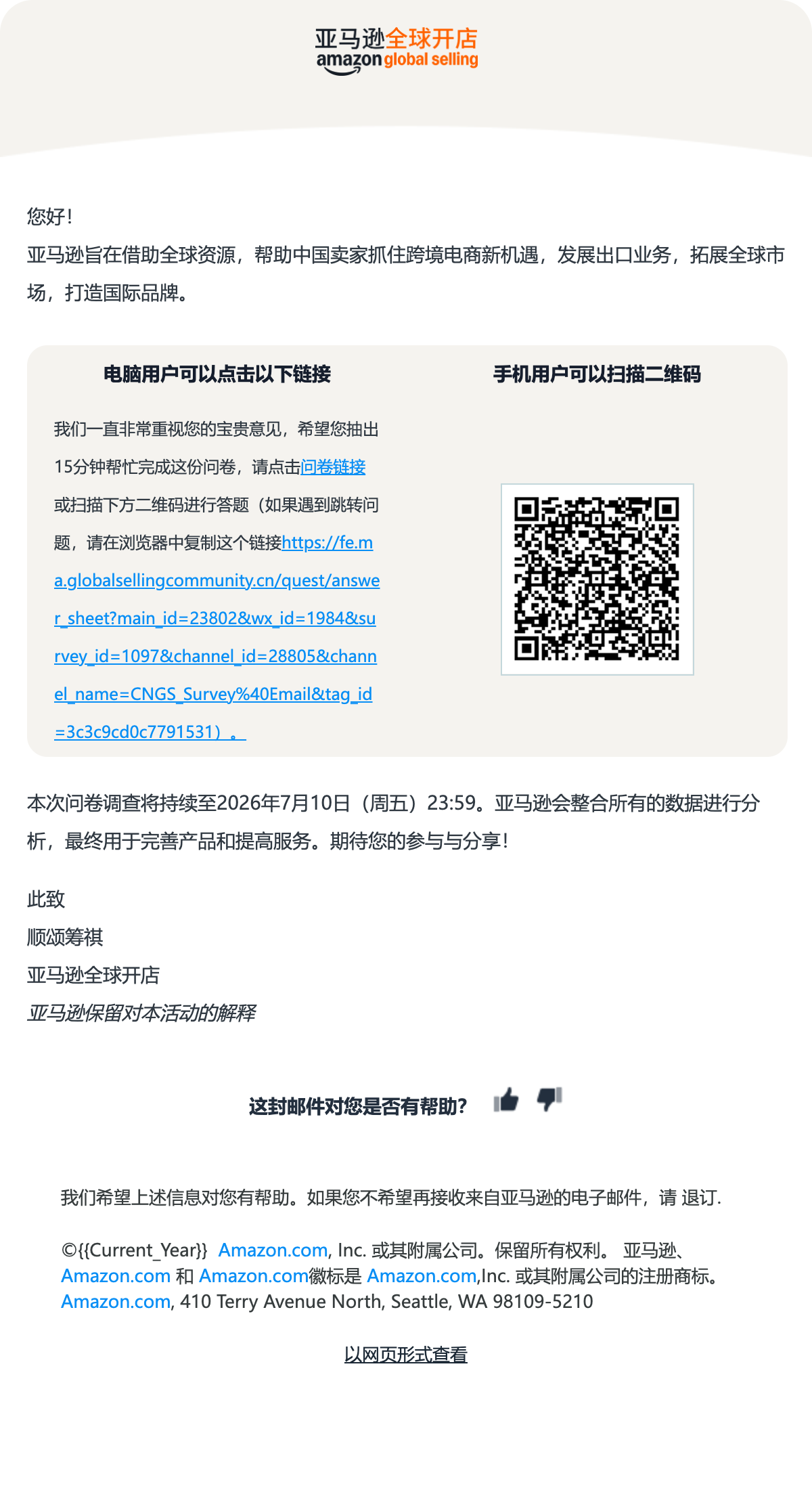 View complete email ↗
 View complete email ↗
Captured from the supplied HTML files, including every section and footer. Template variables are shown as supplied. The newsletter’s recipient-specific QR image requires send-time data.
MUSE 2 generates one email per seller from AI-written content. Live since September 2026, it runs every business day for MAVEN, the seller-launch personalization program.
MUSE 1 received Word documents with headings and formatting. In MUSE 2, the content agent writes each seller’s email into a plain-text spreadsheet cell.
I needed a way for the content agent to specify email modules in that cell. The same format had to work across thousands of rows.
I defined seven tags: title, preview, salutation, body, sub-heading, list and button. Two inline markers specify emphasis.
I packaged these rules as a skill for the content agent. It writes seller-specific copy with tags that map to MUSE’s design modules.
A deterministic parser renders each row with the same layout rules. No model runs at send time.
The green status opens the checks behind the selected email’s QC result.
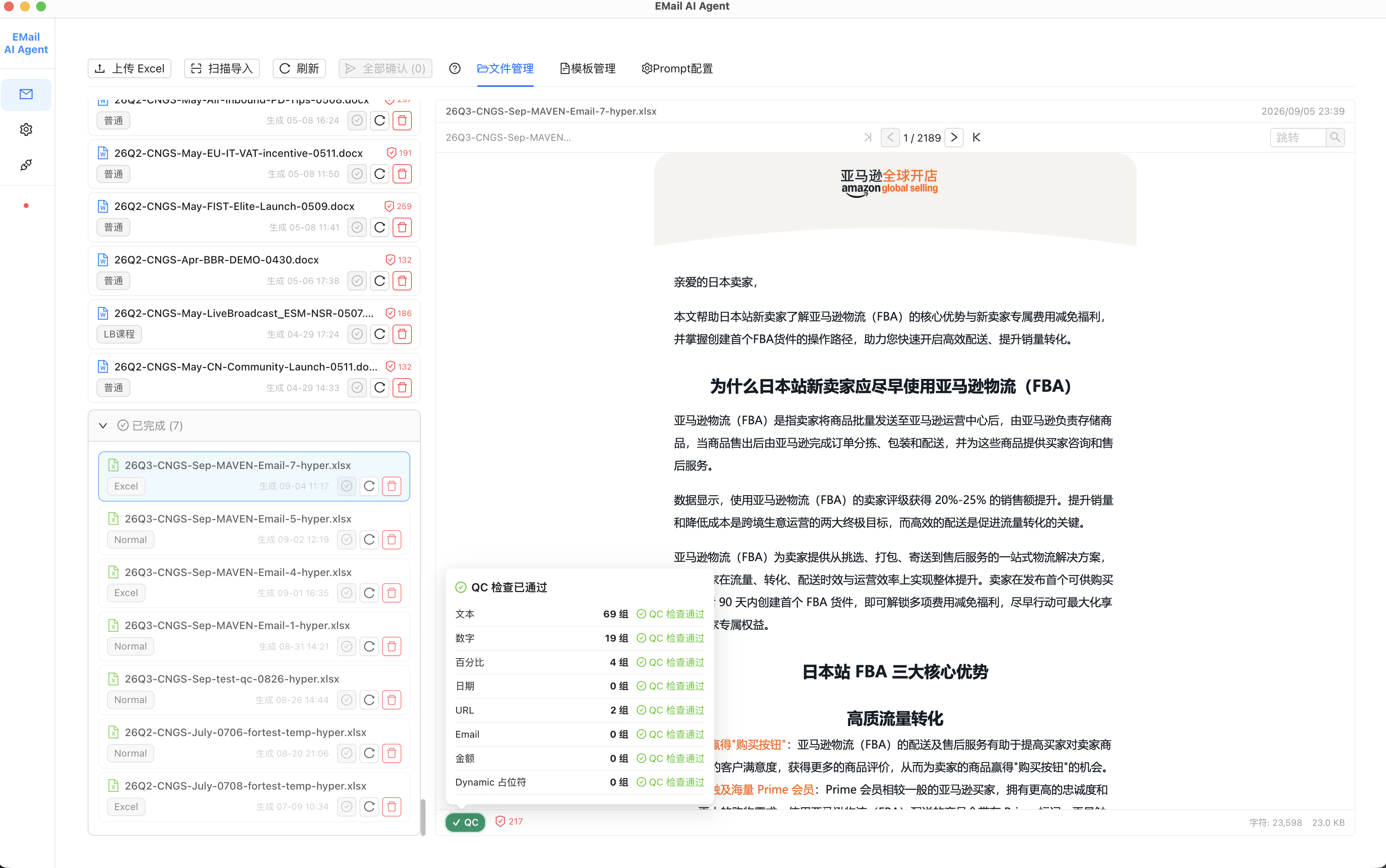
Also checks dates, email addresses, amounts and dynamic placeholders.
content cell → one email.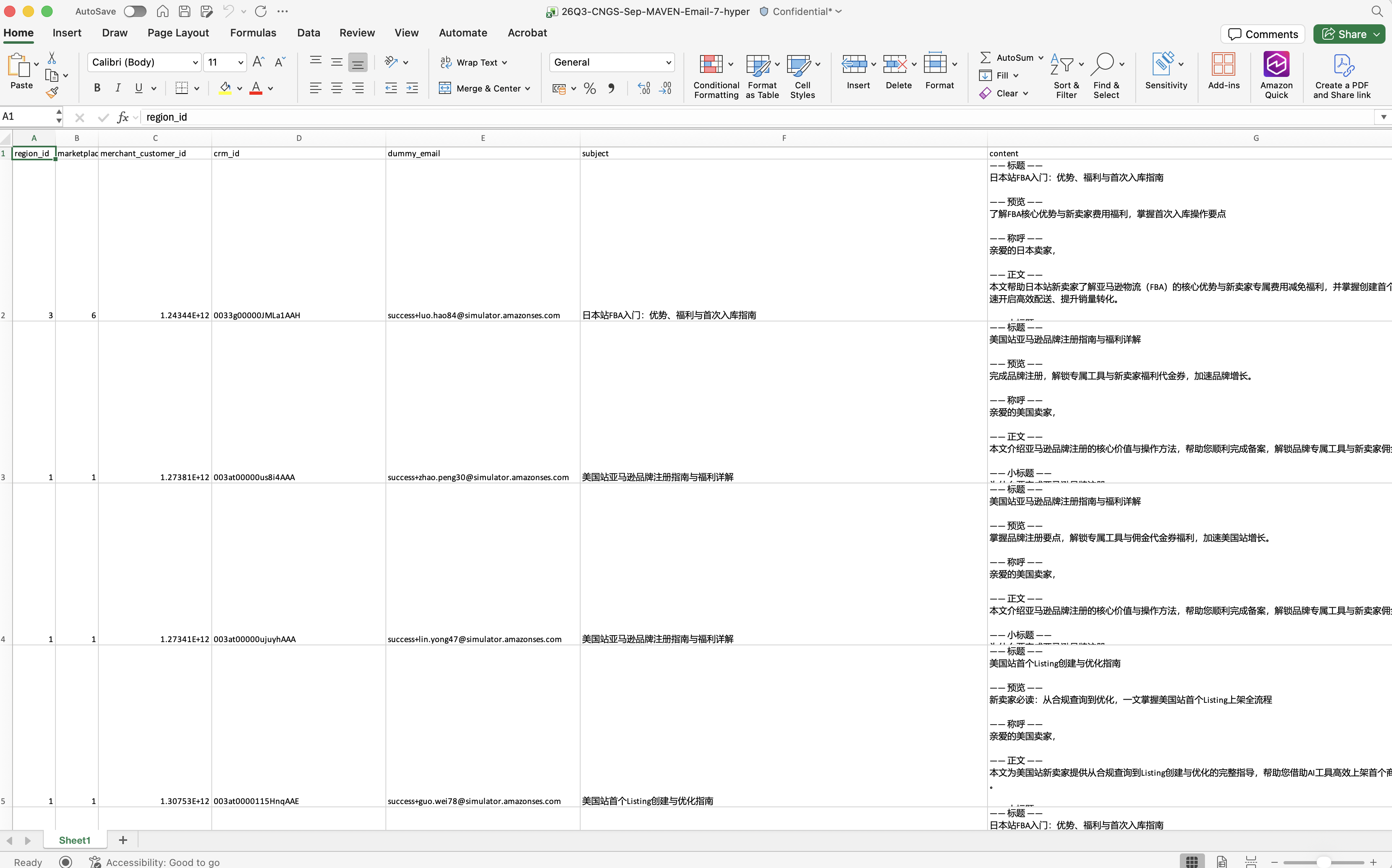
Workbook overview · column G highlighted
contentColumn G · detailcontent column. Original Chinese copy is preserved.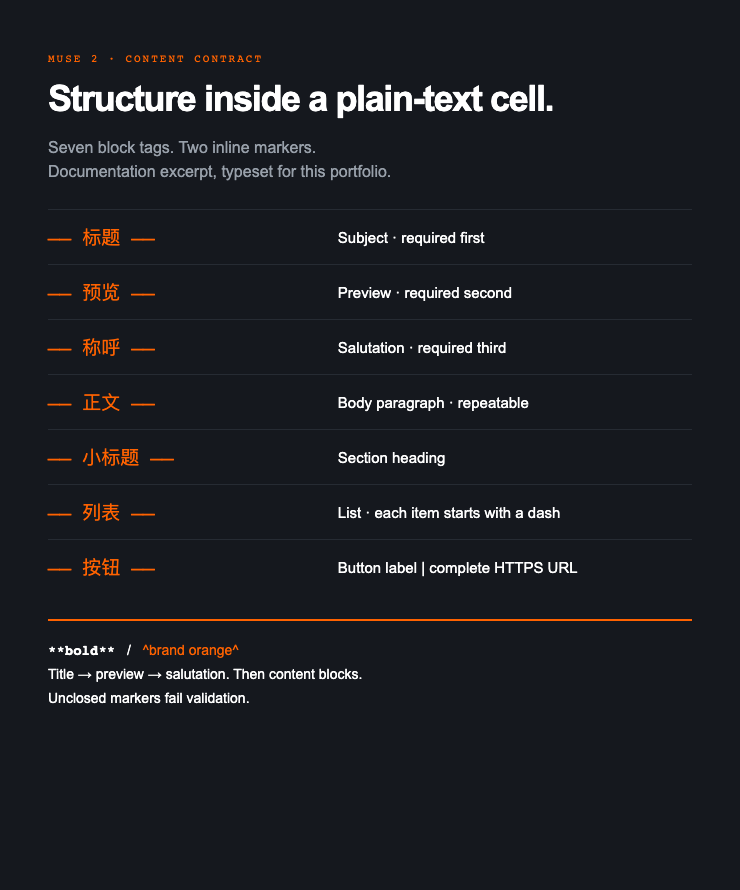
We built an independent QC step into the live pipeline. It checks that every rendered email faithfully preserves its source content before it can be sent.
MUSE 2 supplies the HTML generation step for MAVEN’s daily emails. It renders each seller’s content and checks the output against the source.
Next, I plan to extend the content format to support tables, images and per-seller links.